In this blog, we’ll cover Disney Advance Dining Reservations and Mobile Ordering, plus share some helpful tips and tricks to make your Disney World dining a magical part of your vacation!
Advance Dining Reservations can be made 60 days before your trip at 6:00 AM EST.
Disney World Dining Basics
- Reservation Window: Reservations are available 60 days in advance at 6:00 AM EST. If you’re staying at a Disney Resort (or other qualifying resort), you can make reservations for your entire trip, up to 10 days. Non-Disney resort guests can make reservations 60 days ahead for each day of their trip. You can book online here, but we recommend using the My Disney Experience (MDE) app after logging in to your account.
- Searching for Reservations: Log in to your MDE account to start searching. You can either search for a specific restaurant or input your dates and party size to see what’s available. Disney’s reservation system now shows specific restaurant availability for up to 10 days, making planning easier.
- Lead Guest & Guarantee: You must provide a lead name, contact info, and a credit card to guarantee your reservation. If you miss your reservation, a $10 per person fee will be charged.
- Mobile Check-In: Most Disney restaurants now offer Mobile Check-In, where you can note special occasions or dietary allergies. You can check in up to 15 minutes before your reservation. Mobile Check-In is not available at non-Disney-owned restaurants like Via Napoli, Space 220, or many Disney Springs locations.
Disney World Dining Tips & Tricks
- Load a credit card into your MDE account
Having a card saved makes the process much faster. Booking requires a credit card to secure the reservation, but you won’t be charged unless you miss it. - Use the My Disney Experience (MDE) app
The app is much more reliable now than it used to be. If you’re booking right as your window opens and see errors, wait a few moments or try booking online. - Try an incognito window when booking online
For most computers, press Control + Shift + N to open an incognito window. It often reduces glitches. - Pre-load restaurant tabs
If booking online, open individual restaurant pages in separate tabs before 7:00 AM. Switching tabs is faster than searching when the window opens. - Toggle party size
If you can’t find availability for your exact party, try searching for one more or one fewer guest. You can usually adjust your party at check-in, and sometimes you can go right into Modify after booking your reservation to adjust it to the correct size. - Book popular restaurants first
Space 220, Beak and Barrel, GEO-82, Topolino’s, Be Our Guest, ‘Ohana, Cinderella’s Royal Table, Le Cellier, California Grill, Oga’s Cantina, and Steakhouse 71 fill up fast. Booking toward the end of your trip can improve availability since many guests reserve earlier days. - Be flexible with meal times
Avoid peak dining times (12–2 PM for lunch, 6–8 PM for dinner). Eating earlier or later usually provides more options. - Check for last-minute cancellations
People often cancel, so check the day before and the day of for openings at hard-to-get restaurants. - Walk-up waitlists
Many table service restaurants offer walk-up availability. Use the + in the MDE app or go to the check-in desk in person, especially for popular spots like Sci-Fi Dine-In. - To-Go options
Many Disney Resort restaurants offer takeout. Order through the MDE app and pick up to bring back to your hotel. - Set up dining alerts
Some services email or text you when a reservation opens. Many free and paid options exist. - Know the cancellation policy
Most restaurants require cancellations or modifications 2+ hours before your reservation, though some require 24+ hours. No modifications are allowed within 2 hours of the reservation. - Last-minute cancellations
Use the Chat feature in the MDE app or visit Guest Services. Explain your situation—Disney often waives fees for valid reasons. Or approach the restaurant and explain the situation, or Guest Services can help as well. - Missed reservations
If you miss a reservation due to illness or another reason, call Disney Dining at (407) WDW-DINE (939-3463). They are often understanding and may reverse charges. - Book late dinners for empty parks
Restaurants open until or after park closing offer the chance to exit through nearly empty parks. Some options:
- Animal Kingdom: Tiffins, Tusker House (Satu’li Canteen is counter service and sometimes open until close)
- Epcot: La Hacienda de San Angel, San Angel Inn
- Hollywood Studios: Oga’s Cantina, 50’s Prime Time Café, Sci-Fi Dine-In
- Magic Kingdom: Liberty Tree Tavern, Skipper Canteen, Crystal Palace, Be Our Guest
- Check OpenTable
Some Disney Springs and Disney World restaurants allow reservations through OpenTable. - Use AllEars for research
AllEars lists menus, prices, pictures, and reviews for nearly every Disney World restaurant. Click here for AllEars.
MOBILE ORDERING
Disney highly encourages using Mobile Ordering via the My Disney Experience app. It’s available at most Quick/Counter Service restaurants and some other locations—click here to see where it’s available. Mobile Ordering saves a ton of time, so here are some tips:
- Have your payment ready
Make sure your credit card info is already stored in the app. You can also pay with a Disney Gift Card, but it won’t save your information, so you’ll need to enter it each time. Tip: Keep your gift card number in your notes to copy and paste quickly. - Accessing Mobile Order
Tap the “+” button at the bottom of the app to see nearby options or search for a specific restaurant to Mobile Order directly. - Scheduling your order
If using the “+” button, you’ll see arrival times like “Now” or how many minutes until it’s ready. Up at the top, you can select “As soon as possible” or “Schedule for later.” You can also filter by nearby or currently available options. - Preparing your order
When your arrival window opens, select “I’m here, Prepare my order.” Tip: Tap this while walking to the restaurant—it usually takes several minutes for your order to be ready. - Pickup
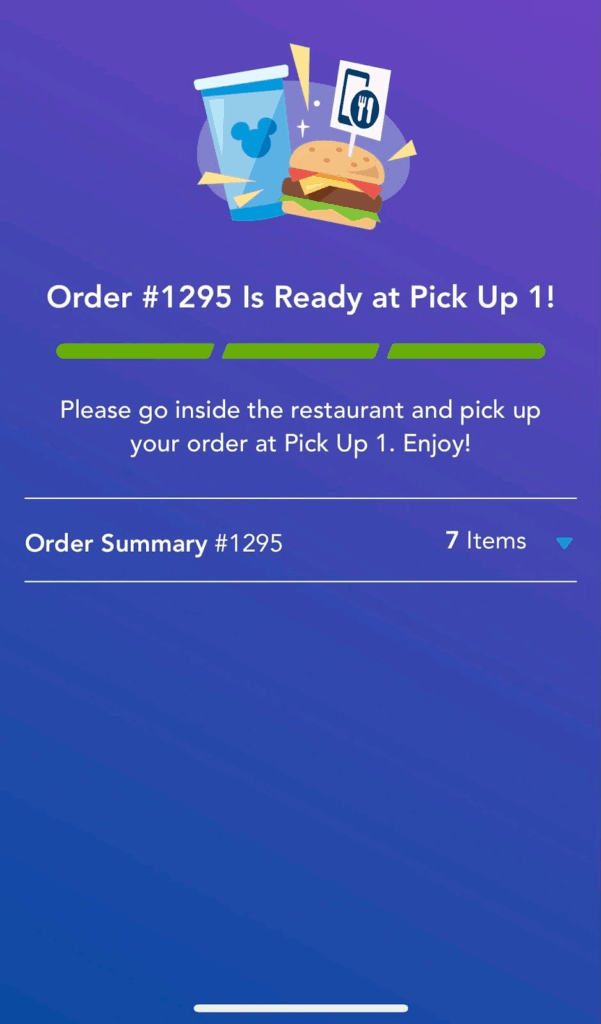
When your order is ready, the app will notify you and give a pickup window number. Go to the window, give your name or number, and your order will be ready.
MOBILE ORDER TIPS
- Order early! Arrival windows for popular locations fill quickly. Place your order while waiting for the park to open or during an attraction, and pick it up later. You can always modify your window or cancel if needed. To access your order, go to Mobile Food Order in the app. I often order snacks in the morning and lunch/dinner at park opening to save time later.
- Cancel without being charged. You aren’t charged until you hit the “Prepare my Order” button or the window opens. Cancel before then, and you’ll get an email confirming no charge. Note: Debit cards may have a temporary hold when placing an order.
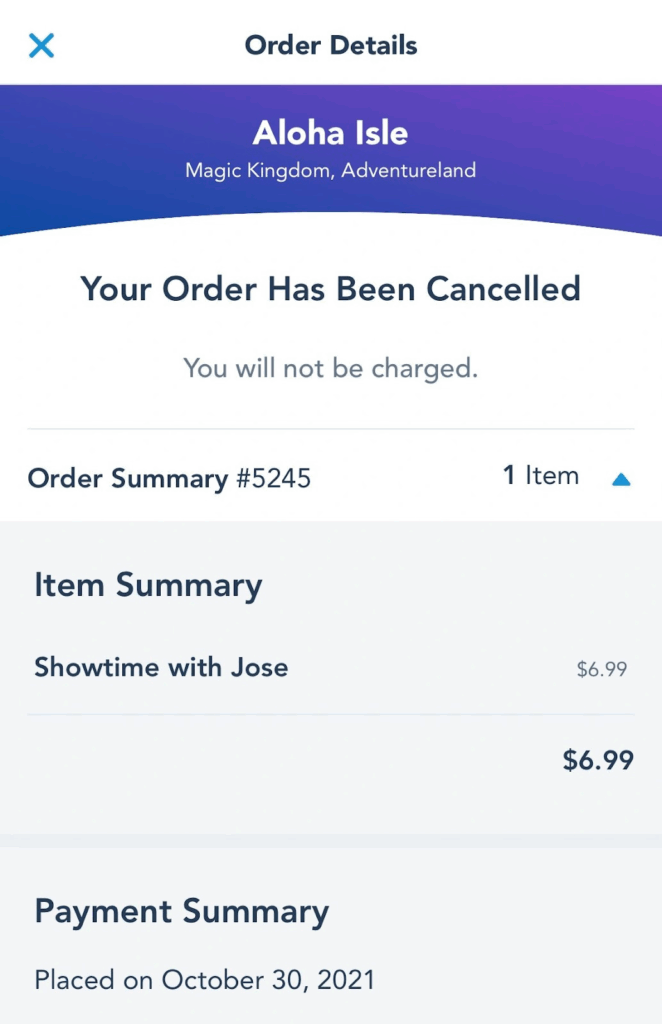
MODIFY YOUR MOBILE ORDER
If your arrival window is later than you’d like, keep trying to modify it. I recently had to wait 50 minutes for an arrival window, and we were really hungry. I kept checking and inching it closer, and within a few minutes, I was able to get it right then—shaving off a lot of wait time. Modify is your friend!
CAN’T GET A GOOD WINDOW?
If you absolutely can’t get a decent arrival window, just approach the restaurant and ask to order at the counter. Sometimes this can be quicker than Mobile Order.
A FEW MORE DINING NOTES:
- If you have a reservation for 4 people but only 3 are eating, that’s perfectly fine. As long as one person shows up, you won’t be charged.
- At Quick/Counter Service locations, avoid peak times (12–2pm for lunch, 6–8pm for dinner) since you’ll also need to find a table after getting your food.
- Some restaurants have attached lounges, which don’t require a dining reservation. They usually offer many of the same menu items as the main restaurant.
- Didn’t get the reservation you wanted in a park? Don’t worry—some of the best dining is at the Disney Resorts. For Magic Kingdom, we often hop on the monorail to a resort restaurant. Around EPCOT or Hollywood Studios, we’ll dine at resorts near Crescent Lake or via the Skyliner. Resorts are typically less crowded, making for a nice break from the parks. Reminder: If driving to a Disney Resort, you’ll need an Advance Dining Reservation to park there.
DISCLAIMER: These are tips and hacks, so they may not always work, but they should help make your Disney World vacation smoother.
I hope you found this helpful! If you have any questions, feel free to email me.
Ready to plan your visit to the magic? Email me for a no-obligation quote, and I’ll help you plan the most magical vacation! My services are complimentary when you book with me, including all my tips and advice.
For a quick quote, please fill out this form.
Don’t forget to follow us on Facebook for all the latest blogs and news!
 using WordPress and
Comments are closed